Showing posts with label reset. Show all posts

Thursday, March 13, 2014

A Simple Way To Hard Master Reset Your Motorola Spice XT300

A Simple Way To Master Reset Your Motorola Spice XT300 :
To perform a Master Reset on your Motorola Spice XT300 reset follow the steps below:
  1. with the phone off, press the power button and the "X" key on the keyboard
  2. When the triangle appears press the "alt" and the "w" key on the keyboard
  3. let the Motorola Spice XT300 reboot and your done!


Read More..

Sunday, December 15, 2013

How to Unlock Android Phone After Too Many Pattern Attempts Without Factory Reset


1. Completely power off and power on your Galaxy-S phone.
2. Right after you pass the Galaxy-S and just before the Verizon Wireless logo video ends, immediately tap on the home button extremely fast and repeatedly (at least 4-5 times per second). If the Emergency Call button pops up, click that every now and then (3-5 times) but keep tapping on the home button. During this process your phone may flash the password screen or keypad screen just a few times and your phone will seem to be lagging due to the tapping.
3. Keep tapping until you see your Android home buttons stay steady at the bottom. Voila, you’re in your phone! If the emergency keypad constantly shows up or if it shows the Google account screen constantly, you have failed. The success rate can be around 15-50% so keep trying until it works. (You may want to grab a young phone-savvy guy or girl to do it if your fingers are too slow)
4. Find and run the Settings App and go to Accounts & Sync.
5. Under Manage Accounts, remove all accounts except your Google account.
6. Press your power button off and on and enter your correct Google account information.
7. It will ask for a new security pattern. Enter it twice and you are done!
I recommend the tapping method first but if that doesn’t work or you don’t have a home button, here is a different method to try pretty much based on the same concept. (again, will depend on app compatibility and may not work for all phones)
This method uses a free app called Screen Lock Bypass. (thanks to Michele for introducing this, but no need to purchase the Pro version) Please use this at your own risk as I cannot be responsible for any of the results caused from using this app. Basically, you’ll be using this app to bypass the screen lock and delete the other accounts blocking your Google username/password to accept.
1. Go to the Android Market download page on your desktop and install the app. (Yes, you are able to install apps using your desktop instead of your phone) Direct link: https://market.android.com/details?id=se.curity.android.screenlockbypass&hl=en (note: You need to login to the Android Market using your Google username and password that you used when you first set up your phone. This is the username and password that “should have” unlocked your phone in the first place.)
2. Select the phone you have (this is why you need to login with the right Google ID) and install the app. Wait about 5 minutes or restart your phone and wait a good amount of time for the app to fully install.
3. On the app instructions, it says to install any other app to trigger the Screen Lock Bypass app. I did not do this but for me, restarting the phone, waiting, soft off and on seemed to trigger it. (may have been triggered by a message though, this is the part where it unexpectedly blanked and disabled my screen for a good while.)
4. If it worked and bypassed the “too many pattern attempts” screen, go to phone Settings and then select Accounts & Sync.
5. Under Manage Accounts, remove all accounts except your Google account. (this should enable your Google username and password)
6. Go to Settings and select Applications, then Manage Applications.
7. Find Screen Lock Bypass and uninstall the app. (this will trigger the “too many pattern attempts” screen immediately)
8. Use your original Google username and password to finally unlock your phone properly.
9. Enter your new security pattern twice to finish!
If Method 2 worked for you, please leave your comments with your phone make and model to let us know!
Method 3
This was suggested by commenter Guru and has potential to work with all phones as it was claimed to work with the Galaxy S2.
Pre Condition: You remember the pattern and you remember your Google password and Android account is listed while using instructions below.
1. Using your computer, log into your Google account. You can verify your correct Google account using the Additional Tip at the bottom of this article.
2. Go to this link directly – https://accounts.google.com/IssuedAuthSubTokens OR click your e-mail on the top right corner, select Account settings, then hit “Visit the previous version of the Google accounts screen” towards the bottom, click “Authorizing applications & sites ” under your Personal Settings > Security.
3. Under “Connected Sites, Apps & Services – “Revoke Access” of your Google Account with Android. You will see the screen showing “You have successfully revoked access to Full Account Access”
[Alternate for step 3 - If you have already signed up for 2-Step Authorization previously and are able to generate a new application-specific password at the bottom, go ahead and generate a new password and use that password to unlock your device]
4. Enter Gmail login and password on your phone. It will now accept your login details and will show a pattern screen. Enter the “correct” pattern and you can see the home screen.
Again, if this works for you, let us know!
Good Luck!
[Additional Tip]
If you don’t remember your Google username and password, it may be an account that was used during signup and never used afterwards. You can confirm this by logging into your Google Account and going to this page: https://market.android.com/account. Select the Settings tab and you should be able to see your phone device. If you do not see your phone listed, it is probably under a different Google ID. If your phone carrier cannot retrieve your Google e-mail used during signup, try this link to possibly retrieve it:
https://accounts.google.com/RecoverAccount
[Note: If these solutions didnt work for you, the last thing I can recommend is a factory reset which is normally done through a simple button combination that is different for each phone. You should be able to google it or find factory reset instructions from your phone manufacturer or cell phone service provider at no charge.]

Read More..

Wednesday, December 11, 2013

Resetter Nokia 5630 xpressmusic

There are several ways to reset or format your cell phone Nokia 5630 Express music
Code to reset the Nokia 5630 Xpress music :

- Soft reset (basic reset)
This option restores the .ini files from the ROM. Does not erase data (documents, photos, videos) or applications from a third party. Key Code * # 7 7 8 0 # (click this combination of keys on the
keyboard in the mobile- no spaces).

- Hard Reset (total reset and formatting)  
This option restores the original operating system from the ROM. Formats the C: partition and deletes all data including the memory card. Key Code * # 7 3 7 0 # (click this combination of keys on the keyboard in the mobile- no spaces).

If the above steps do not help to reset, do as below:

Turn the device off. Press and Hold * + 3 + Call / Green Keys. Turn on the device by pressing the on button. Wait until the Nokia logo appear.

Note: the battery must be full and the mobile device connected to the charger. If during the course of reset, the mobile stop receiving electricity it can ruin the internal flash memory of the mobile device and stop function.
Read More..

Sunday, December 8, 2013

LG Optimus 3D P920 Hard Reset to Factory Default Settings


Heres a step by step instruction on how to properly Hard reset the LG Optimus 3D, If you want to return it to its factory settings again.
This procedures is only advisable if the youd experience a hang or frozen problem in your device when using or opening any applications installed. 
Please bear in mind that the result of this procedure will delete all data yoy previously installed on your handset.  This process may or may not delete data stored on the microSD card. Just do have a back up copy of all your important data on the device before proceeding.

Factory reset through Menu Settings:

On the main HOME screen, select MENU
   2. Select SETTINGS, then PRIVACY
   3. Select FACTORY DATA RESET
   4. Select RESET PHONE
   5. When Password is prompted, enter it. Then select ERASE EVERYTHING.

If the problem still persists, or if the phone is frozen, you may then try to hard reset your LG Optimus 3D P920 through button combination.
   
  1. If your LG Optimus 3D P920 is frozen, turn the Power OFF,  pull out the battery  and reinsert it back again. 
   2. Hold the Home and Volume Down button
   3. Press and hold the Power button until the device turns on
   4. Follow the on-screen instructions on how to reset your LG Optimus 3D P920

Wait till the process finish. Once the wipe is complete, the phone will reboot to its factory default state settings. All data you previously installed on it already been deleted.
Read More..

How to Master Reset Motorola Spice XT300 Hard Reset Motorola Spice XT300

  • To perform a Master Reset on your Motorola Spice XT300 reset follow the steps below:
  1. with the phone off, press the power button and the "X" key on the keyboard
  2. When the triangle appears press the "alt" and the "w" key on the keyboard
  3. let the Motorola Spice XT300 reboot and your done!
Read More..

Nokia E65 Hard Resetting Code

Nokia E65 Hard Resetting Code

My E65 does not reset through the 3 button reset code i.e. "*+send/green+3 while powering it", though I have managed it through *#7370#. Somebody help me coz I face situations were I can not enter "*#7370#" or *#7780# coz my keypard wont respond. Is there another code or a better method of doing the 3 button code.
Read More..

Saturday, December 7, 2013

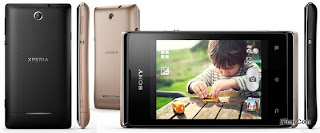
Sony Xperia E Dual C1605 C1604 Hard Reset

To perform Hard Reset on this Xperia E, you just need to make sure that all the data has already been backuped
image source

Reset Via Settings
  1. Select Apps from yourHome screen
  2. Tap Settings 
  3. Tap Backup & reset.
  4. Tap Factory data reset 
  5. Tap Reset phone.
  6. Tap Erase everything.
To avoid permanent damage to your device, do not restart your device while a reset procedure is underway.
Warning! All data will be erased from device memory, including system and application data, settings and downloaded applications. Back up your important data.  The device will restore to factory settings.
Performing Soft Reset
If your phone hangs or does not responding, try to Press and hold power key about 10 seconds.  It will rebooting automatically.  Or try to remove and re insert the battery and SIM Card.
Read More..

Thursday, December 5, 2013

Nokia 6720 classic reset

1.- Basic Reset or Soft Reset

This option restores the .ini files from the ROM.
Does not erase data (photos, videos, documents) or applications from
a third party. Key Code *# 7780 # (click this combination of keys on the
keyboard in the mobile)
2.- Total Reset or Hard Reset

This option restores the original operating system from the ROM.
Formats the C: partition and deletes all data including the memory
card. Key Code *#7370# (click this combination of keys on the keyboard
in the mobile)
Important: To proceed to reset, the battery must be full and the
mobile device connected to the charger. If during the course of reset,
the mobile stop receiving electricity it can ruin the internal flash
memory of the mobile device and stop function.
Read More..

Reset Nokia E63 worked

1.- Basic Reset or Soft Reset

This option restores the .ini files from the ROM.
Does not erase data (photos, videos, documents) nor applications from
a third party. Key Code *#7780# (click this combination of keys on the
keyboard in the mobile)
2.- Total Reset or Hard Reset

This option restores the original operating system from the ROM.
Formats the C: partition and deletes all data including the memory
card. Key Code *#7370# (click this combination of keys on the keyboard
in the mobile)
You can also achieve Total Reset by pressing and holding down following keys:
* + 3 + Green Button (call) immediately after turning the mobile on.
Important: To proceed to reset, the battery must be full and the
mobile device connected to the charger. If during the course of reset,
the mobile stop receiving  electricity it can ruin the internal flash
memory of the mobile device and stop function.
Read More..

Wednesday, December 4, 2013

Boost mobile motorola i1 hard reset


1. Power phone off

2. Press and hold the following buttons at the same time:
· Volume Up and Down, Green "send button" and Center "OK" button
3. Press "Red" Power on/End call button while still holding the other buttons
4. Release all buttons.
5. You will see Motorola emblem appear followed by an image of an arrow going from handset to the phone. This process may take a few minutes. Do not pull battery or power off handset.
  • Reset may take several minutes.
6. Handset will power cycle on its own. When coming back up, the Motorola emblem will reappear.
7. Let phone complete power up process.
8. Once complete, you will start back at the Setup Wizard to input all their previously used credentials. If your handset does not power back on with your carriers settings, you will need to do a Master Clear through the i1 settings menu at this point to bring back carrier features.
At the i1 homescreen, press Menu hard key, selectSettings.
Scroll down to SDcard & phone storage.
Select Master Clear & tap on Reset phone to initiate Master Clear.
Handset will power cycle on its own. When coming back up, the Motorola emblem will reappear.
Let phone complete power up process.
Once complete, you will start back at the Setup Wizardagain to input all their previously used credentials.
9. Complete set-up. Make sure you re-enter a working Gmail account so you can access security lock reset, Marketplace, and other vital features of the handset in the future with no issues.
Read More..

Chinese Mobile Phones Secret Codes To Reset

Chinese Mobile Phones Secret Codes To Reset

Be The First To Comment
Chinese Mobile phones are flooding in the market. You get the same exact mobile phones as the branded ones like iPhone clone, HTC Touch clone, Nokia N97 clone, Palm Pre clone. Chinese mobile manufacturers have all the clone mobile phones, you name it and they have it.
If you are one of those users who likes to use Chinese mobile phones, you might some day want to reset your Chinese mobile phones.
So here are the list of secret codes to reset your chinese mobile phones.
*#66*# Set Factory Mode CONFIRMED
*#8375# Show Software Version CONFIRMED
*#1234# A2DP ACP Mode CONFIRMED
*#1234# A2DP INT Mode CONFIRMED
*#0000# + Send : Set Default Language CONFIRMED
*#0007# + Send : Set Language to Russian CONFIRMED
*#0033# + Send : Set Language to French CONFIRMED
*#0034# + Send : Set Language to Spanish CONFIRMED
*#0039# + Send : Set Language to Italian CONFIRMED
*#0044# + Send : Set Language to English CONFIRMED
*#0049# + Send : Set Language to German CONFIRMED
*#0066# + Send : Set Language to Thai CONFIRMED
*#0084# + Send : Set Language to Vietnamese CONFIRMED
*#0966# + Send : Set Language to Arabic CONFIRMED
*#800# make Etel E10 model displaying message BT power on. But on display it dont resemble the blutooth power on icon.(actually t makes BT stuck, but after restarting t becomes normal <tested by me>)

More codes to reset chinese mobile phone

*#77218114#
*#881188#
*#94267357#
*#9426*357#
*#19912006#
*#118811#
*#3646633#

also found these 


Service codes Konka:

C926 software version: *320# Send
C926 set default language: *#0000# Send
C926 set English language: *#0044# Send

Service codes GStar:

GM208 (Chinese Nokea 6230+) engineering menu: *#66*#
Set language to English: *#0044#
Set language to Russian: *#0007#

ZTE Mobile:>1- *938*737381#

2- PHONE WILL DIPLAYED DONE
3- POWER OFF YOUR PHONE AND POWER ON AGAIN
alcatel:>E205
unlocking phone code,only press***847# without simcard
E900 software version: *#5002*8376263#
E900 full reset: *2767*3855#

Service codes Spice
 :
S404 enable COM port: *#42253646633# -> Device -> Set UART -> PS -> UART1/115200
S410 engineer mode: *#3646633#
S900 software version: *#8375#
S900 serial no: *#33778#

Service codes Philips: 

S200 enable COM port: *#3338913# -> Device -> Set UART -> PS -> UART1/115200

Service codes "Chinese" models:

default user code: 1122, 3344, 1234, 5678
Engineer mode: *#110*01#
Factory mode: *#987#
Enable COM port: *#110*01# -> Device -> Set UART -> PS Config -> UART1/115200
Restore factory settings: *#987*99#
LCD contrast: *#369#
software version: *#800#
software version: *#900#

Service codes BenQ: 

software version: *#300#
test mode: *#302*20040615#

Service codes Pantech:

software version: *01763*79837#
service menu: *01763*476#
reset defaults (phone/user code reset to default): *01763*737381#

Service codes VK-Mobile **x, 5xx:

software version: *#79#
software version: *#837#
service menu: *#85*364# (hold #)

Service codes VK200, VK2000, VK2010, VK2020, VK4000: 

software version: *#79#
service menu: *#9998*8336# (hold #)
reset defaults (phone/user code reset to default): *#9998*7328# (hold #)

Service codes LG:

software version: 2945#*#
KG300 NVRAM format: 2945#*# -> menu 15

Service codes Sony-Ericsson:

J100 software version: #82#

Service codes Fly:

M100 software version: ####0000#
2040(i) reset defaults: *#987*99# Send
MX200 reset defaults: *#987*99# Send
MX200 software version: *#900# Send
SL300m reset defaults: *#987*99# Send
SL300m software version: *#900# Send
SL500m reset defaults: *#987*99# Send
SL500m software version: *#900# Send
MP500 reset defaults: *#987*99# Send
MP500 software version: *#900# Send
Set language to English: *#0044#
Set language to Russian: *#0007#

Service codes Konka:

C926 software version: *320# Send
C926 set default language: *#0000# Send
C926 set English language: *#0044# Send

Service codes GStar:

GM208 (Chinese Nokea 6230+) engineering menu: *#66*#
Set language to English: *#0044#
Set language to Russian: *#0007#

Service codes Motofone-F3:

Motofone F3 software version: **9999* Send
***300* Set SIM Pin
***310* / ***311* SIM Pin ON | OFF
***000* Reset Factory settings
***644* Set Voicemail number
***260* / ***261* Auto keypad lock ON | OFF
***510* / ***511* Voice Prompts ON | OFF
***160* / ***161* Restricted Calling (Phonebook only) ON | OFF
***200608* Send: software version
***200606* Send: software version
***200806* Send: flex version
***250* / ***251* Keypad tones ON | OFF
***470* Select time format
***500* /***501* Prepaid Balance Display ON | OFF
***520* Change language

Service codes Motorola:

C113, C114, C115, C115i, C116, C117, C118 software version: #02#*
C138, C139, C140 software version: #02#*
C155, C156, C157 software version: #02#*
C257, C261 software version: #02#*
V171, V172, V173 software version: #02#*
V175, V176, V176 software version: #02#*
C168, W220 software version: *#**837#
W208, W375 software version: #02#*
and "yes"

I-mobile Inno30, 55, 89, 90, 99, 100, A10, A20, P10, Vk200

- Set full factory *741*737381#
- Set full factory *741*7373868#
- Set full factory *741*2878#
- Set Engineer Mode *888*888#
- Check software version *888*837#

I-mobile 100 ,200 , 313

- Check software version #*888#

I-mobile 309, 310

- Check software version *0*4636#
- Test Mode *0*6268#

I-mobile 311

- Check software version #*878#

I-mobile 511

- Check software version *1222*1#

I-mobile 301, 302,308, 508, 601, 602, 603, 604, 606, 611, 901, 902

- Check software version *#159#
- Set Factory Mode *#32787#
- Set Engineer Mode *#3646633#

I-mobile 503, 506, 605, 600, 607, 608

- Set Engineer Mode ***503#
- Set Factory Mode ***504#
- Set Auto Test ***505#

I-mobile 509, 612

- Set Factory Mode *#66*#

I-mobile 504, 505, 803

- Check software version *68*48#
- Set full factory *789#
- Test Mode *#789#

I-mobile 305, 306, 315, 510, 609, 609i,516

- Check software version *#8375#
- Set Factory Mode 878

I-mobile 610

- Check software version *#22#

I-mobile J101, J102

- Test Mode *23638777*783781#

I-mobile 502, 502i, 505, k9, 802 

- Check software version *201206*4636#
Read More..

Tuesday, December 3, 2013

HTC 7 Pro Hard Reset Restore to Factory Default Settings


This is a step by step instruction on how to hard reset (factory reset) the HTC 7 Pro and restore to factory default settings.

 Performing a Factory reset  will permanently delete all your data and customized settings, and it will also remove all applications  you’ve downloaded and installed on the device. Make sure to have a back up copy of any data and files you want to keep before you do a factory reset.

Performing a factory reset via Menu settings

   1. From the home screen, swipe left to expose your app list
   2. Select Settings
   3. Scroll down and select about
   4. Select reset your phone
   5. Select yes to confirm, then select yes to confirm again


If having problem how to turn on the phone or access the phone settings, or it become frozen or  unresponsive you can still perform a factory reset by using the buttons of the phone.


Heres how to hard reset your HTC 7 Pro via button combination.


   1. Shut down the phone or turned it off, or remove the battery and then reinsert it back again.
press and hold the VOLUME UP and DOWN buttons, and then briefly press the POWER button.
   2. Wait for  the instructions to show on the screen on how to do the factory reset, and then release the VOLUME UP and DOWN buttons.
   3. Follow the instructions onscreen how to factory reset your phone.

Then your HTC 7 Pro will  then reboot and youll be left with a factory fresh phone
Read More..

Monday, December 2, 2013

Format your Nokia N85 device

Restore original settings
Press Menu, and select Tools > Settings > General > Factory settings.
You can reset some of the settings to their original values. To do this, you need the lock code. 12345
After resetting, the device may take a longer time to power on. Documents and files are unaffected.

You can format your Nokia N85 device by typing: * + 3 + call + Power on. Before the device is reset, you need to provide the lock code. The default lock code is 12345.
If it is not working try this code:
You can format your device by typing *#7370# in standby mode. Before the device is reset, you need to provide the lock code. The default lock code is 12345.

Some Nokia phone can be reset via this menu option
Press menu button or enter Menu > Settings > Phone > Phone management > Factory settings > Delete data and restore > YES

IMPORTANT!

Formatting the device will permanently erase all user data and settings as well as add-on applications and operator specific settings.
Read More..

Sunday, December 1, 2013

All Huawei New Old phones Install Stock Rom Full Reset

All Huawei New&Old phones-Install Stock Rom-Full Reset

All Huawei Phones-Install Stock Rom-Full Reset


** Upgrade Guide **

1 = Download a stock ROM 

2 = Format your SD card in FAT32(NO NEED TO FORMATE IF ITS ALREADY FAT32)

3 = Create a folder "dload" off course without the quotes on to the root of your SD card.

4 = Extract the UPDATE.APP from the stock ROM and place it in "dload" 

5 = Power off your phone with sd card inside.

6 = Power on by pressing POWER+RED BUTTON+VOLUME UP Button if done properly you will see progress bar saying UPDATING!

7 = After its done it will reboot automatically and YOUR phone good as NEW!!!!! 


Warning !!!

PLEASE BACKUP EVERY SENSITIVE DATA AS YOU WILL LOOSE EVERYTHING YOU HAVE ON PHONE!


Huawei Drivers 


All Stock Roms Link Here


Read More..

Saturday, November 30, 2013

Master Reset Nokia Asha 311

Like other smartphone which using smart operating system, Nokia Asha 311 can be install with any application which is support to the operating sytem, but sometime the application can make the Nokia Asha 311 become stuck / freezing / hang / not responsive / slow. For this bad situation, the Nokia Asha 311 sometime need to be format to factory default or master reset.
Please always Remember, while doing Master Reset Nokia Asha 311 to factory default, the data will be loose, that’s why we can do backup all data or important stuff at Nokia Asha 311.

#Option 1, Hard Reset Nokia Asha 310 & 311 with menu setting:
Make sure the Nokia Asha 311 on and standby
Go to menu Setting, then choose restore factory setting  > settings only
It will ask security code, input default security code of Nokia Asha 311 : 12345

#Option 2, Hard Reset Nokia Asha 310 & 311 with special code / master key / shortcut / secret key :
Try to type: *#7370# and it will ask the security code of Nokia Asha 311, press 12345
You also can try type:  *#7380#

#Option 3, Soft Reset Nokia Asha 310 & 311 with special key code :
Please take attention, this option is for soft reset, so Nokia Asha 311 will not removing any important data and installed applications. How soft reset Nokia Asha 311 work: It will recopy or restore the default copy of .ini to Nokia Asha 311.
Type in the phone : *#7780#

How to Flashing or Unlock my Nokia Asha 310 & 311?
It is depend on what happen with Nokia Asha 311. The above options to hard reset is get the same result as Flashing Nokia Asha 311. If you forgot the security password code, to unlock the security password code you have to bring to nearest Nokia Service Center in your location. If you have other option to unlock without go to service center, then please let us know.

The information from this page describe about hard reset nokia 311,nokia 311 hard reset,nokia asha 311 factory reset code,how to format nokia asha 311,hard reset asha 311,How to format nokia 311,nokia 311 reset code,reset nokia asha 311,asha 311 hard reset,how to hard reset nokia 311. If you need another resource for hard reset, use search function at this homepage or find from our related posts.
Read More..

Tuesday, November 26, 2013

Nokia BB5 Counter Reset


All BB5 SL2 SL3 Very Easy reset counter.

all bb5 sl2 sl3 very easy reset counter..........

1/ reading PM120

2/ open this PM120 file txt format


[120]
0=0000000000000000234150000000000000180203000000000028000001FFFFFF003C000001FFFFFF000000003F 007F206F07FFFFF800005003000502000000007FFF6F07FFFF FFFFF80000530300050223415F23415FFFFF


3/ Just edit the line 0 of the PM120 then 3 must be set to 0 save it

[120]
0=0000000000000000234150000000000000180200000000000028000001FFFFFF003C000001FFFFFF000000003F 007F206F07FFFFF800005003000502000000007FFF6F07FFFF
FFFFF80000530300050223415F23415FFFFF


4/ write this edited PM120 file

reset phone counter is OK.......


Download Nokia Counter Reset
Read More..

Sunday, November 24, 2013

Samsung Galaxy Ace 2 GT l8160 Reset To Factory Default

Hard Reset  Samsung Ace 2 Gt l1860

Hard Reset:

    1. Turn off the device
    2. Press dan hold Volume Up button and Power Buttonsimultaneously till the screen turns up and Samsung logo blinks for two times.
    3. Then release the power key but keep the Volume Up key pressed till you see Android system recovery screen.
    4. select wipe data / factory reset using Volume Down key to highlight.
    5. Press home key.
    6. select reboot system now
    7. Press home key.
Only do this if you can not do it via Setting menu.
Performing Soft Reset
If your phone or tab hangs or does not responding, try to Press and hold power key about 10 seconds. It will rebooting automatically. Or try to remove and re insert the battery and SIM Card ( If available ).
Read More..

Thursday, November 21, 2013

Nokia Ovi Store install after Hard Reset

Nokia Ovi Store install after Hard Reset

      Ovi means door (in finland) is the brand of Nokia Internet services that focus on five areas of service which include games, maps, media, messaging, and music. In a previous post (How to safely Hard Reset Nokia N8) has explained that performing a hard reset on nokia phone embedded operating system symbian ^ 3, will remove the "ovi store" applications.
      
And this time we will discuss how to install the application (ovi store) after performing a hard reset:
Uninstall all the (ovi apps) or (ovi store) installer from your phone, and make sure only (Ovi) is left in the application folder (Settings>Application manager>Installed apps).
1. Download the latest installer Qt v4.7 for symbian ^ 32. install "qt.sis" and "qtwebkit.sis" from package v4.6 into the phone memory3. click "store icons" on the main menu, this will take you to download "ovi store app" (you have to install it)4. restart the phone after the installation5. install "qtwebkit_2_1.sis" and "qt_4_7_0_opengl.sis" from package v4.7 into the phone memory
6.
installation is complete.
-->


Now the problem has been resolved with this trick. Good Luck.
Read More..

Tuesday, November 12, 2013

Hard Reset Nokia Lumia 800

With most device you would be able to pull out the battery and a soft reset is done, but with the Nokia Lumia 800 you will have to do something differently, heres how:
1. Press and hold the Volume Down and Power keys until you have it vibrates 3 times, then release all the keys.

Hard Reset
When soft reset does not do the trick, then you ought to use this option. Please note, if you try this option make sure that you have backup all your data.
1. Proceed to backup your valuable data.
2. Next turn off your phone.
3. Now press and hold the Volume Down, Power and Camera key simultaneously until you feel your phone vibrates, then release the Power key and continue to hold the Volume Down and Camera key for a further 5 seconds.
Now your phone should start to return to the factory default settings.


Reset Via Menu Settings:


1. Go back to the Home screen. 
2. Click on the right arrow  button.
3. Then scroll down the screen and select Settings.

4. Now scroll down and select About.

5. Then select Reset your Phone near the bottom of the screen.

6. Tap on the Yes buttonwhen the warning screen appears.

Now wait for the device to reset it self.
Read More..